

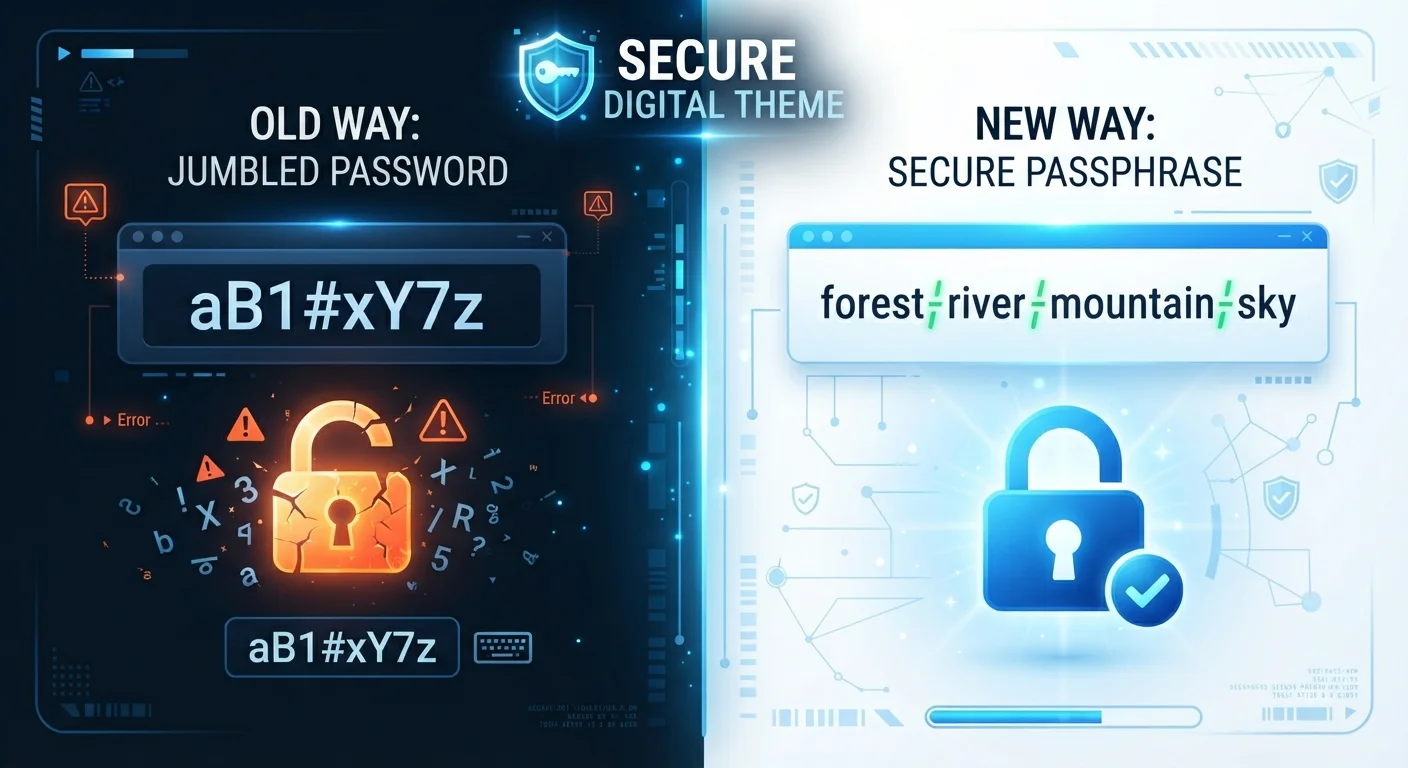
Key Takeaways
- Length is the single biggest factor in credential strength - longer credentials are exponentially harder to crack.
- Passphrases made of four or more random words are easier to remember than complex short passwords.
- Traditional passwords can still be strong if they are long, random, and stored in a password manager.
- Neither approach is a complete security solution without unique credentials for every account.
- A password manager removes most of the memorability trade-off for both formats.
Option A
Traditional Passwords
The familiar, compact combination of characters.
Best for: Short credentials required by systems with strict character-type rules or length caps.
Option B
Passphrases
Longer strings of ordinary words that add up to strong security.
Best for: Everyday users who want credentials that are both strong and actually memorable.
If you rely on memory and want something strong but recallable
Passphrases
Four or more random words produce high entropy while remaining far easier to recall than a jumble of symbols and numbers.
If you already use a password manager for everything
Traditional Passwords
A password manager generates and stores long random strings automatically, making memorability irrelevant and maximizing randomness.
If you need a master password or device PIN you must type from memory
Passphrases
This is exactly the scenario passphrases were designed for - high security without the cognitive load of remembering random characters.
If a system enforces strict character-type rules and a short maximum length
Traditional Passwords
Some older systems cap passwords at 12-16 characters or require specific symbols, making a classic complex password the only option that fits.
What Makes a Credential Strong in the First Place
Before comparing the two formats, it helps to understand what security researchers mean by credential strength. The core measure is entropy - essentially, how many possible combinations an attacker would have to try before guessing correctly. The more possible combinations, the longer a brute-force or automated guessing attack takes.
Two variables drive entropy: length and unpredictability. A short password made of truly random characters can have decent entropy. A long passphrase made of truly random words can have even more. The key word in both cases is random - meaning you or a tool chose the elements without a predictable pattern.
What weakens both formats equally is human habit: swapping letters for numbers (p@ssw0rd), adding a predictable suffix (Spring2024!), or picking words that relate to your life. Automated cracking tools are specifically trained on those patterns.
| Criterion | Traditional Passwords | Passphrases |
|---|---|---|
| Typical length | 8-16 characters | 20-40+ characters (4+ words) |
| Entropy (when random) | Moderate to high | High to very high |
| Memorability | Low - hard to recall without a manager | High - words are naturally easier to remember |
| Resistance to brute force | Good if long and random | Excellent due to total length |
| Compatibility with older systems | High - meets most legacy rules | Variable - length caps can be an obstacle |
| Works well with a password manager | Yes - ideal pairing | Yes - especially as the master key |
| Risk from human habit | High - predictable substitutions common | Moderate - meaningful phrases reduce randomness |
How Traditional Passwords Perform
A traditional password is typically 8-16 characters mixing uppercase letters, lowercase letters, numbers, and symbols. When those characters are genuinely random, even a 12-character password is computationally difficult to crack. The problem is that truly random strings like gT7#qLm2!vBs are nearly impossible to memorize reliably.
That gap between strength and memorability is why people reuse passwords or choose predictable ones. As our article on why reusing passwords puts every account at risk explains, a single breach can then cascade across dozens of accounts - making a technically strong password effectively useless in practice.
The realistic solution is a password manager, which generates and stores random credentials so you never have to remember them. That works well - but it introduces a dependency: the manager itself needs a very strong master credential, which brings us back to the memorability problem.
80%+
Of breaches linked to weak or reused credentials
Verizon's Data Breach Investigations Reports have consistently attributed the majority of hacking-related breaches to stolen, weak, or reused passwords.
3 trillion+
Guesses per second by modern cracking hardware
Security researchers have demonstrated that consumer-grade GPU clusters can test billions to trillions of password combinations per second against stolen credential hashes.
~55 bits
Entropy from four random common words
Security researchers estimate that selecting four words at random from a list of around 7,500 common words produces roughly 55 bits of entropy - considered strong by current standards.
How Passphrases Perform
A passphrase strings together multiple ordinary words - ideally chosen at random rather than composed as a meaningful sentence. A classic example from security research is the concept of four random words: something like correct horse battery staple. Because each word adds a new layer of possible combinations, the total entropy climbs quickly even though every individual word is simple.
The length advantage is significant. A five-word passphrase with words drawn from a common dictionary of 7,500 words produces more possible combinations than a randomly generated 10-character password using the standard character set. And critically, it is far easier to memorize and type accurately.
Passphrases are especially well-suited as master passwords for password managers or as the login credential for a primary email account - the places where you genuinely need to type from memory. They also tend to satisfy modern minimum-length requirements, which many services have updated to 15 or more characters.
One limitation: some older systems still cap password length at 12-16 characters or require at least one symbol, making a pure word-based passphrase technically incompatible. In those cases, a shorter random password (or a slightly modified passphrase with a symbol inserted) is the only option.
Putting It Together: Which Should You Use?
The honest answer is that the format matters less than the habits surrounding it. A mediocre passphrase chosen with personal meaning is weaker than a strong random password stored in a manager. A strong passphrase used on every site is weaker than unique credentials - in any format - for each account.
A practical approach for most people: use a passphrase for any credential you must memorize (your device login, your password manager master key, your primary email), and let a password manager generate random strings for everything else. That combination addresses both the strength requirement and the real-world constraint of human memory.
Whichever format you use, pairing credentials with two-step verification adds a critical second layer of protection. Our guide on how two-factor authentication actually works explains why that extra step matters even when your credential is strong.
Random Means Random - Not Personal
The security benefit of a passphrase depends on the words being chosen without a predictable pattern. A phrase like 'ilovemydog2015' is not a secure passphrase - it draws on personal information and a common pattern that cracking tools exploit. For genuine randomness, consider using a dice-based word list (often called Diceware) or a password manager's built-in passphrase generator. True randomness is what produces the high entropy both formats promise.