

Key Takeaways
- Phishing emails impersonate trusted sources to steal personal information or account access.
- Urgency, vague greetings, and mismatched links are among the most reliable red flags.
- Hovering over links before clicking reveals whether the destination matches what's displayed.
- Legitimate organizations rarely ask for passwords or sensitive data via email.
- Reporting phishing attempts helps protect others and improve email filtering systems.
Phishing Email
A phishing email is a fraudulent message crafted to trick the recipient into revealing sensitive information - such as passwords, credit card numbers, or Social Security numbers - or into taking an action that benefits the attacker. These emails impersonate trusted organizations like banks, government agencies, or popular services. The goal is deception, not communication.
Phishing is a form of social engineering. Spear phishing refers to targeted attacks aimed at a specific individual or organization, often using personal details to increase believability.
Why Phishing Emails Are So Effective
Phishing works because it exploits human psychology, not just technical vulnerabilities. Attackers count on people being busy, trusting, or momentarily distracted. A convincing email from what appears to be your bank - arriving right when you're stressed about a payment - can be persuasive enough to bypass your better judgment.
The volume is staggering. The FBI's Internet Crime Complaint Center (IC3) consistently identifies phishing as one of the most commonly reported cybercrime types in the United States. As security technology improves, attackers refine their tactics, making messages harder to dismiss at a glance.
Part of being a safer internet user means developing a habit of scrutiny before you act. That's the foundation of good digital hygiene - a topic covered more broadly in our guide to safe habits for everyday online life.
“Phishing attacks exploit the fact that humans are the most vulnerable part of any security system. Teaching people to pause and question unexpected requests is more effective than any technical control alone.”
— Cybersecurity and Infrastructure Security Agency (CISA), U.S. federal agency responsible for national cyber defense guidance
The Red Flags Hidden in Plain Sight
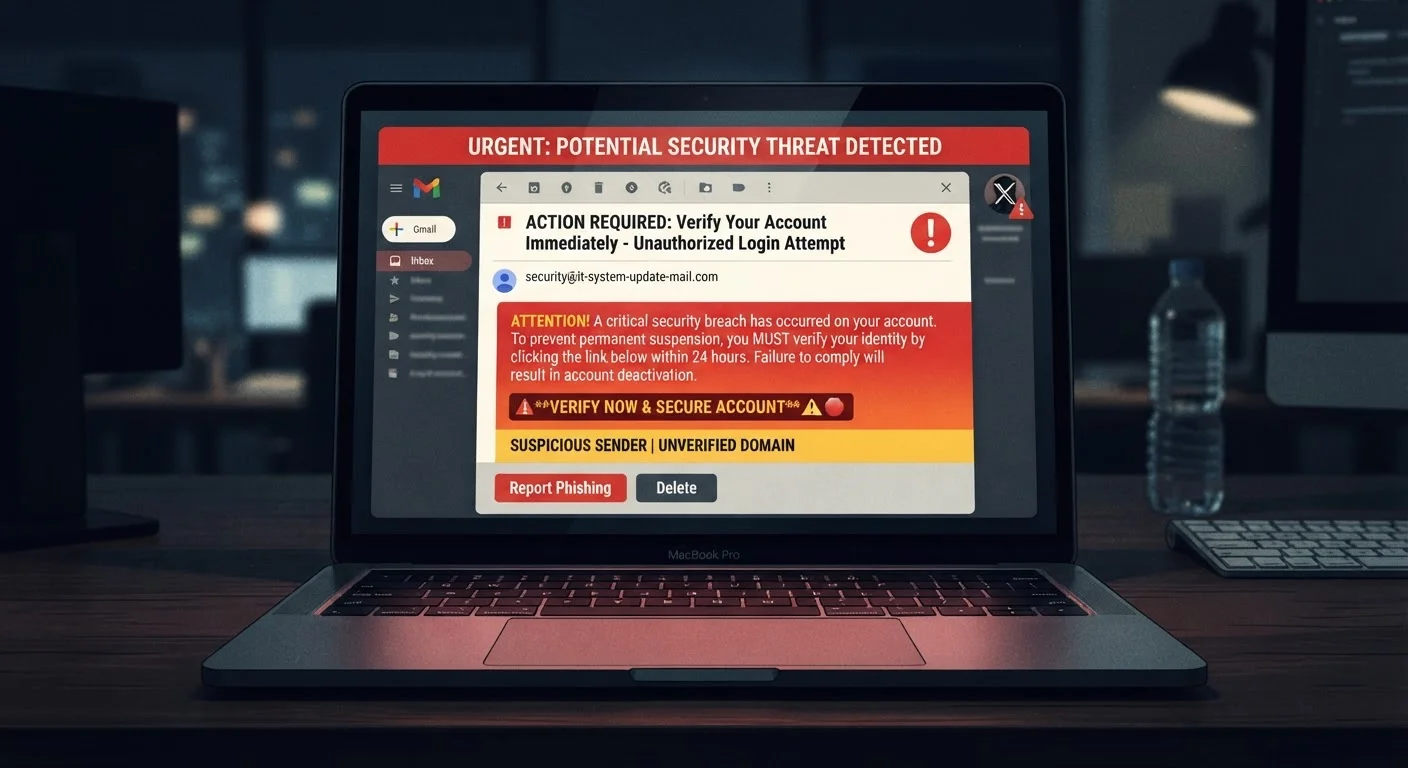
Most phishing emails share a recognizable anatomy once you know what to examine. Here are the key areas to inspect:
The Sender Address
The display name might say "PayPal Support," but the actual sending address could be something like support@paypa1-alerts.net. Look beyond the name - click or hover to reveal the full email address. Slight misspellings, extra words, or mismatched domains are major warning signs.
The Greeting
Legitimate services that have your account information will typically address you by name. Vague openers like "Dear Customer," "Hello User," or no greeting at all suggest a mass-sent message not tied to a real account relationship.
The Tone and Urgency
Phrases like "Your account will be suspended in 24 hours," "Immediate action required," or "Verify now to avoid penalties" are designed to override careful thinking. Urgency is one of the most common psychological levers in phishing. Real organizations give customers reasonable time and multiple contact options.
The Links
This is one of the most reliable checks. Hover your cursor over any link in the email - without clicking - and look at the URL that appears in your browser's status bar or tooltip. Does it match the company's real domain? A link that displays "Chase Bank" but leads to chase-secure-login.ru is a textbook phishing indicator.
Attachments
Unexpected attachments - especially files with extensions like .exe, .zip, or even Office documents that ask you to "enable macros" - should be treated with extreme caution. Attackers use these to deliver malicious software to your device.
#1
Most reported cybercrime type (FBI IC3)
Phishing and its variants have been ranked among the most frequently reported internet crimes in annual FBI Internet Crime Complaint Center reports.
3.4B
Estimated phishing emails sent daily worldwide
Security researchers estimate billions of phishing emails are sent globally every day, making it one of the most prevalent threats facing internet users.
36%
Of data breaches involve phishing
According to Verizon's Data Breach Investigations Report, phishing is consistently one of the leading causes of data breaches across industries.
Real-World Scenarios That Illustrate the Pattern
Understanding these red flags becomes easier when you see them in context. The examples below reflect common phishing scenarios reported by users and security researchers.
Notice that in each case, the attacker is manufacturing a reason for you to act quickly without thinking critically. Slowing down - even by 30 seconds - is one of the most effective countermeasures available.
What to Do When Something Feels Off
Trust your instincts. If an email feels unusual, don't dismiss that feeling.
- Don't click links or download attachments from messages you weren't expecting.
- Go directly to the source. If you receive an email claiming your bank account has an issue, open a new browser tab and navigate to your bank's official website directly. Don't use the email's link.
- Call the organization using a phone number from their official website - not one provided in the suspicious email.
- Report the message. Use your email provider's phishing report feature, and consider reporting to the FTC at ReportFraud.ftc.gov.
If you're ever targeted by a phishing email that appears to be about your financial accounts, it's worth reviewing those accounts carefully. Our article on reading your credit report without getting lost can help you understand what to look for if you suspect unauthorized activity.
Enable Two-Factor Authentication Now
Two-factor authentication (2FA) adds a second verification step - like a code sent to your phone - beyond just your password. Even if a phishing attack captures your password, 2FA can prevent an attacker from accessing your account. Most major email providers, banks, and social platforms offer this option in their security settings.
One of the simplest ways to limit the damage of a successful phishing attack is to use unique passwords for every account. Our guide on password reuse risks explains why this matters more than most people realize.