

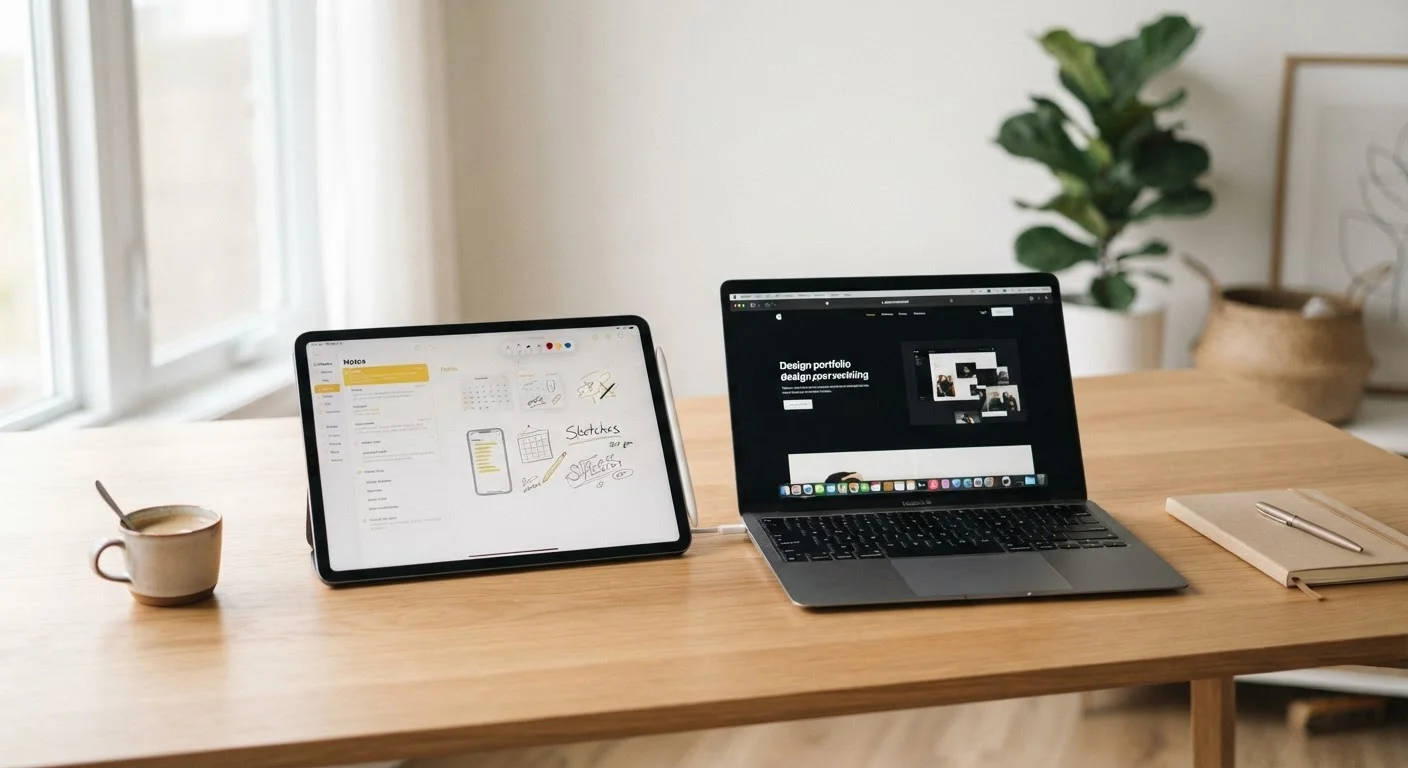
Key Takeaways
- Laptops generally offer more processing power and are better suited for complex, keyboard-driven tasks.
- Tablets excel at portability, touch-based interaction, and media consumption or light creation.
- Hybrid 2-in-1 devices exist but involve trade-offs between each form factor's strengths.
- Your primary use case - not specs - should drive your decision between the two.
- Connectivity needs also differ: tablets often rely more heavily on mobile data while laptops favor Wi-Fi.
Our Verdict
Laptops remain the stronger choice for sustained, keyboard-intensive work like coding, writing, or spreadsheet-heavy tasks. Tablets shine for portability, touchscreen workflows, and on-the-go media use. Neither is universally superior - the right fit depends entirely on what you actually do each day.
| Best for | Recommended |
|---|---|
| Those who write, code, or manage complex documents regularly | Laptop |
| Those who primarily consume media, sketch, or need ultra-light portability | Tablet |
| Those who need occasional keyboard use but value touch and flexibility | 2-in-1 hybrid device |
Why the Lines Are Blurring - But Haven't Disappeared
Tablets now support physical keyboards, trackpads, and desktop-class apps. Laptops have grown thinner and lighter than ever. It is tempting to say the distinction no longer matters - but that conclusion misses how the form factor shapes the actual experience of getting work done.
A tablet running a word processor is still a fundamentally different tool than a laptop running the same software. Input method, screen behavior, thermal design, and software ecosystems all differ in ways that compound over a full workday. Understanding these differences - rather than comparing spec sheets - is what helps you choose well.
For a broader picture of how modern devices communicate and fit into your digital life, see the complete guide to consumer electronics.
Where Laptops Have a Genuine Edge
Laptops are engineered around sustained, keyboard-driven work. Their larger chassis allows better heat management, which means more consistent performance during long sessions of video editing, compiling code, or running multiple applications simultaneously.
The physical keyboard remains a practical advantage for anyone typing thousands of words a day. Laptop keyboards offer more key travel, better tactile feedback, and ergonomic positioning that tablet keyboards - even premium ones - rarely match over hours of use.
Software compatibility is another factor. Certain professional tools - particularly in fields like engineering, audio production, and data analysis - are only available as full desktop applications, not tablet-optimized versions. If your workflow depends on specific software, verify whether a capable version exists for the tablet platform before assuming it transfers.
Test Your Real Workload Before Deciding
Before committing to either form factor, spend a week tracking exactly which tasks you complete on your current device and for how long. Tasks involving sustained typing, multi-tab research, or specialized software almost always point toward a laptop. Shorter, touch-friendly, or mobile tasks often favor a tablet. This exercise tends to surface a clearer answer than any spec comparison.
Where Tablets Have a Genuine Edge
Tablets weigh significantly less than most laptops and often have longer real-world battery life in light-use scenarios. For someone moving between meetings, commuting, or reading reference material, a tablet reduces physical load in a way that matters over time.
Touch interfaces also unlock genuinely different workflows. Illustrators, note-takers who prefer handwriting, educators, and field workers often find that a stylus and touchscreen enable faster, more natural interaction than mouse-and-keyboard alternatives.
Tablets also tend to start up instantly and handle interruptions well - closing and reopening quickly without the lag some laptops show when waking from sleep. This makes them well-suited for tasks that are done in short, frequent bursts rather than long focused sessions.
~53%
US adults who own a tablet
According to Pew Research Center surveys on device ownership among American adults.
~80%
US adults who own a laptop or desktop
Pew Research Center data consistently shows laptops and desktops remain the most widely owned computing devices among US adults.
Connectivity habits differ, too. Tablets with cellular capability are often used away from Wi-Fi more than laptops. If that describes your situation, understanding how your device manages mobile data versus home Wi-Fi can help you avoid unexpected data overages.
Comparing the Two Across Key Criteria
The table below summarizes how each form factor performs across the dimensions most people care about. A 2-in-1 hybrid is included as a middle-ground reference point.
| Laptop | Tablet | 2-in-1 Hybrid | |
|---|---|---|---|
| Typing comfort | Excellent - full keyboard standard | Varies - external keyboard optional | Good - keyboard usually included |
| Portability / weight | Moderate - typically 2.5-5 lbs | High - typically under 1.5 lbs | Moderate - depends on keyboard attachment |
| Touch & stylus input | Limited - rare on most models | Excellent - designed for it | Good - supported but screen size varies |
| Sustained performance | Strong - better thermal headroom | Adequate - throttles under heavy load | Good - closer to laptop in most tasks |
| Software compatibility | Widest - full desktop OS standard | Growing - some gaps remain | Full desktop OS - same as laptop |
| Battery life (typical use) | 6-12 hours depending on load | 8-14 hours for light tasks | 6-10 hours - varies by mode |
| Best primary use case | Extended work, coding, creation | Media, notes, light tasks on the go | Flexible users needing both modes |
Keep in mind that within each category, specific devices vary considerably. These are general tendencies based on how the form factors are designed, not guarantees for any particular device.
How to Match Form Factor to Workflow
The most reliable method is to map your actual tasks, not your aspirational ones. List the five things you do most on a computing device each week. If more than three of them involve extended typing, complex file management, or running full desktop software, a laptop is likely the better fit.
If your list is heavier on reading, video calls, sketching, light document editing, or media consumption - particularly away from a desk - a tablet is worth serious consideration. Many people in this category find they reach for a tablet far more often than a laptop they own.
Also consider your environment. If you work primarily at a fixed desk and already have a monitor, a laptop's built-in screen may be redundant, while a tablet paired with a keyboard could serve the same role more flexibly. Conversely, if you rely on a single device to do everything from a couch or café, a laptop's all-in-one design reduces friction.
Device choice also feeds into how much screen time you accumulate and how you structure it. For strategies on managing that effectively, the adult screen time management guide covers evidence-informed approaches worth reading alongside any device decision.