

Key Takeaways
- Mobile data travels over cellular towers; home Wi-Fi delivers internet from your router over radio waves.
- Your phone automatically prefers Wi-Fi when a known network is in range, even if signal is weak.
- Mobile data counts against your carrier plan allowance; home Wi-Fi typically does not have a data cap.
- Wi-Fi generally offers higher speeds at home, but mobile data can be faster in some rural or congested situations.
- Understanding which connection is active helps you avoid surprise charges and poor performance.
Option A
Mobile Data
Your always-on connection that travels with you.
Best for: Staying connected on the go - commuting, traveling, or anywhere without Wi-Fi access.
Option B
Home Wi-Fi
The higher-capacity, lower-cost connection anchored to your home.
Best for: Heavy data use at home - streaming, video calls, large downloads, and multiple devices.
If you use your phone primarily at home or in the office
Home Wi-Fi
Wi-Fi conserves your mobile data allowance and typically delivers more consistent speeds for heavy tasks like streaming or video calls.
If you're frequently on the move and away from known networks
Mobile Data
Cellular coverage follows you anywhere a signal reaches, making it the reliable fallback when Wi-Fi isn't available.
If you're worried about surprise overage charges on your mobile plan
Home Wi-Fi
Routing data-heavy tasks through Wi-Fi keeps cellular usage low and reduces the risk of hitting plan limits.
If your home Wi-Fi is slow or unreliable in certain rooms
Mobile Data
A weak Wi-Fi signal that your phone stubbornly clings to can actually be slower than switching to cellular - toggling Wi-Fi off forces the switch.
How Each Connection Actually Works
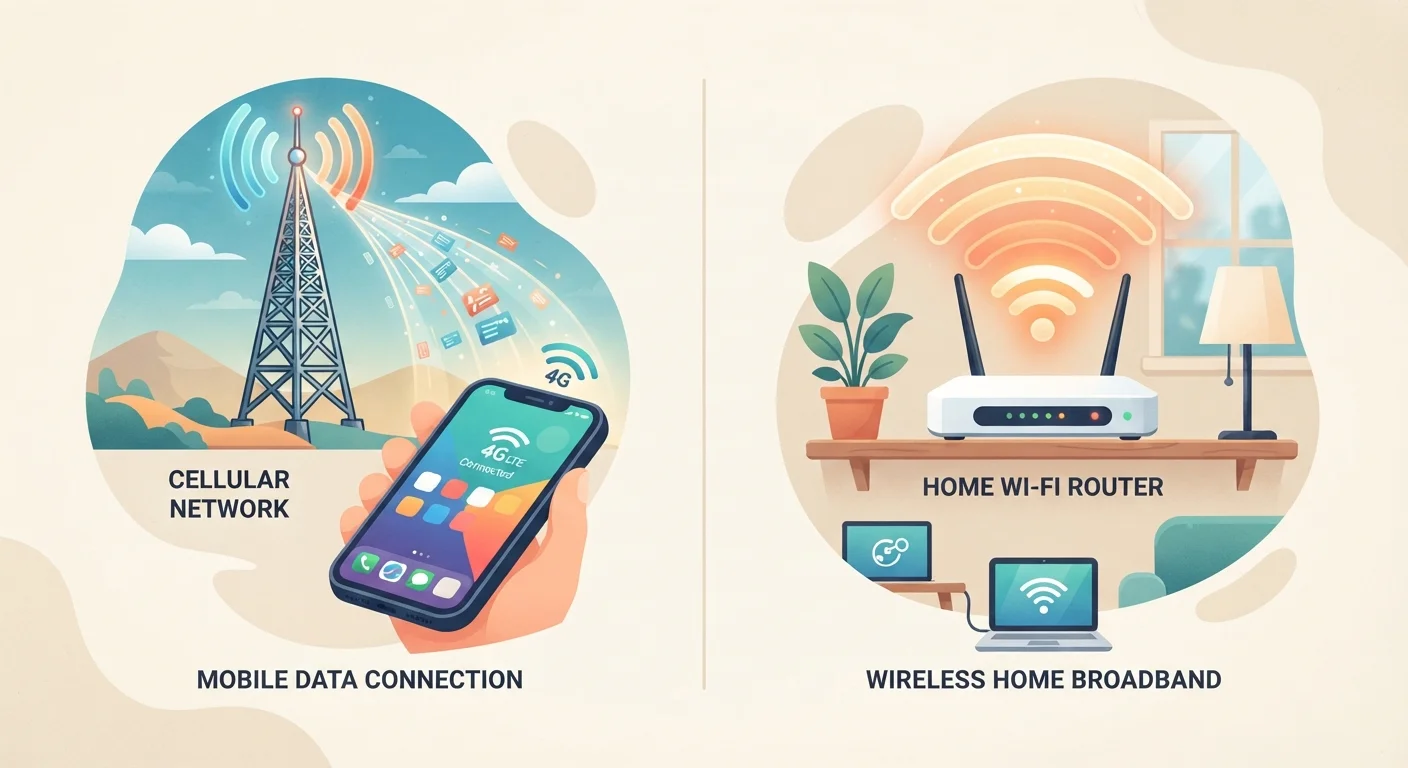
Mobile data and home Wi-Fi both deliver internet to your device, but they arrive through completely different paths. Understanding that difference is the foundation for making smarter choices about how and when you use each one.
Mobile data uses your carrier's cellular network - the same towers that handle phone calls. Your device communicates wirelessly with the nearest tower, which connects to the broader internet on your behalf. The technology behind it - whether 4G LTE or 5G - affects speed and latency, but the core idea is the same. See how 4G LTE and 5G actually differ for a practical breakdown of those generations.
Home Wi-Fi is a local wireless network your router broadcasts inside your home. The router itself connects to the internet via a physical line from your ISP - cable, fiber, DSL, or another technology. Your devices talk to the router wirelessly; the router handles the rest. The Wi-Fi signal is a short-range radio link between your device and that router, not a direct connection to the internet itself. For more on what each home internet technology actually delivers, see home internet connection types explained.
| Criterion | Mobile Data | Home Wi-Fi |
|---|---|---|
| How it reaches your device | Cellular towers over radio waves | Router in your home over radio waves |
| Coverage area | Wherever cell towers reach | Inside or near your home only |
| Data metering | Counts against monthly plan limit | Usually unmetered on your device |
| Typical speeds at home | Varies by signal and carrier congestion | Generally faster, tied to ISP plan |
| Reliability in weak signal areas | Depends on tower proximity | Degrades at range or through thick walls |
| Number of devices supported | One device per SIM (or hotspot limit) | Many devices simultaneously |
When Your Device Switches - and Why It Sometimes Gets It Wrong
Most smartphones and tablets are programmed to prefer Wi-Fi whenever a saved network is available. The logic is straightforward: Wi-Fi typically means cheaper data and, at home, usually faster speeds. But the automatic switching isn't always intelligent.
The most common frustration happens at the edge of Wi-Fi range - in a back room, garage, or yard. Your phone detects the network and connects to it, but the signal is so weak that the connection barely works. Meanwhile, your cellular signal is perfectly healthy. The device holds onto Wi-Fi anyway, because it is technically connected. The result is a slow, stuttering experience that feels like a bad internet connection when the real fix is simply toggling Wi-Fi off temporarily.
Newer Android and iOS versions include a feature sometimes called Wi-Fi Assist (iOS) or Adaptive Wi-Fi (Android) that automatically switches to mobile data when Wi-Fi quality falls below a usable threshold. These features are helpful but use mobile data in the background, which matters if your plan has tight limits. See common mobile plan misunderstandings if you're unsure what your plan actually allows.
~70%
Mobile traffic delivered over Wi-Fi
Cisco's Visual Networking Index estimated that a large majority of global mobile data traffic is offloaded to Wi-Fi rather than cellular networks.
4-6x
Typical home Wi-Fi speed advantage
In many urban US households, broadband plans deliver speeds several times higher than average LTE speeds experienced indoors, according to FCC Broadband reports.
What This Means for Your Data Usage and Costs
One of the most practical differences between the two connections is how data consumption is measured and billed. Mobile data is metered - every gigabyte counts against your monthly plan allowance. Home Wi-Fi, by contrast, is usually unmetered from your device's perspective; your ISP may have a home data cap, but it's typically much larger and rarely reached by a single user's phone.
This asymmetry makes Wi-Fi the right default for anything data-intensive: streaming video, downloading app updates, backing up photos to the cloud, or making video calls. Background processes also consume more mobile data than most people realize - a breakdown of silent data drains covers the less-obvious culprits.
A good habit: check which connection is active before starting a large download or a long video call. On both iOS and Android, the status bar shows a Wi-Fi icon or a cellular signal indicator. If you're on mobile data unexpectedly, connecting to a trusted network first takes only seconds and can save meaningful data allowance over a month.
If your home Wi-Fi has dead zones that push devices onto cellular more than you'd like, options for filling Wi-Fi dead zones explains the main solutions available. Router placement also plays a larger role than many people expect - see how router placement shapes signal quality for guidance.
Public Wi-Fi Is a Different Story
Everything above applies to your trusted home or work network. Public Wi-Fi at cafes, airports, or hotels introduces different considerations around security and reliability. In many cases, mobile data is actually the safer and more consistent choice in those environments. See the nuanced truth about public Wi-Fi risks for a balanced look at when to connect and when to stay on cellular.