
Mesh Networks, Range Extenders, and Powerline Adapters: Filling Wi-Fi Dead Zones

Key Takeaways
- Mesh networks offer seamless whole-home coverage but cost more upfront than other options.
- Range extenders are affordable but can cut available bandwidth by up to half if not carefully placed.
- Powerline adapters use your home's electrical wiring to carry a network signal between rooms.
- The right solution depends on your home's layout, construction materials, and how many devices you use.
- Before buying anything, optimizing your router's placement may solve the problem for free.
Our Verdict
No single technology is the universal fix for Wi-Fi dead zones. Mesh systems provide the most seamless and scalable experience for larger or multi-story homes, range extenders work adequately for a single room that needs a modest boost, and powerline adapters shine when thick walls or interference make wireless extension unreliable. Assess your home's layout and where your dead zones actually fall before investing.
| Best for | Recommended |
|---|---|
| Large homes, multi-story layouts, or households with many devices | Mesh Network |
| Renters or users needing a simple, low-cost coverage boost for one room | Range Extender |
| Homes with thick walls, concrete, or heavy wireless interference | Powerline Adapter |
Why Dead Zones Happen in the First Place
Wi-Fi signals weaken as they travel through air and solid materials. Thick walls, floors, appliances, and even neighboring wireless networks all reduce signal strength. Most home routers are designed to cover a modest footprint from a single location, which means rooms on the far side of the house - or a basement workshop - often receive little to no usable signal.
Before exploring hardware solutions, it's worth remembering that placement matters enormously. Where your router sits can determine whether distant rooms get a workable signal at all, and repositioning it costs nothing. It's also worth reviewing common myths about Wi-Fi range before assuming hardware is your only path forward.
How Each Technology Works
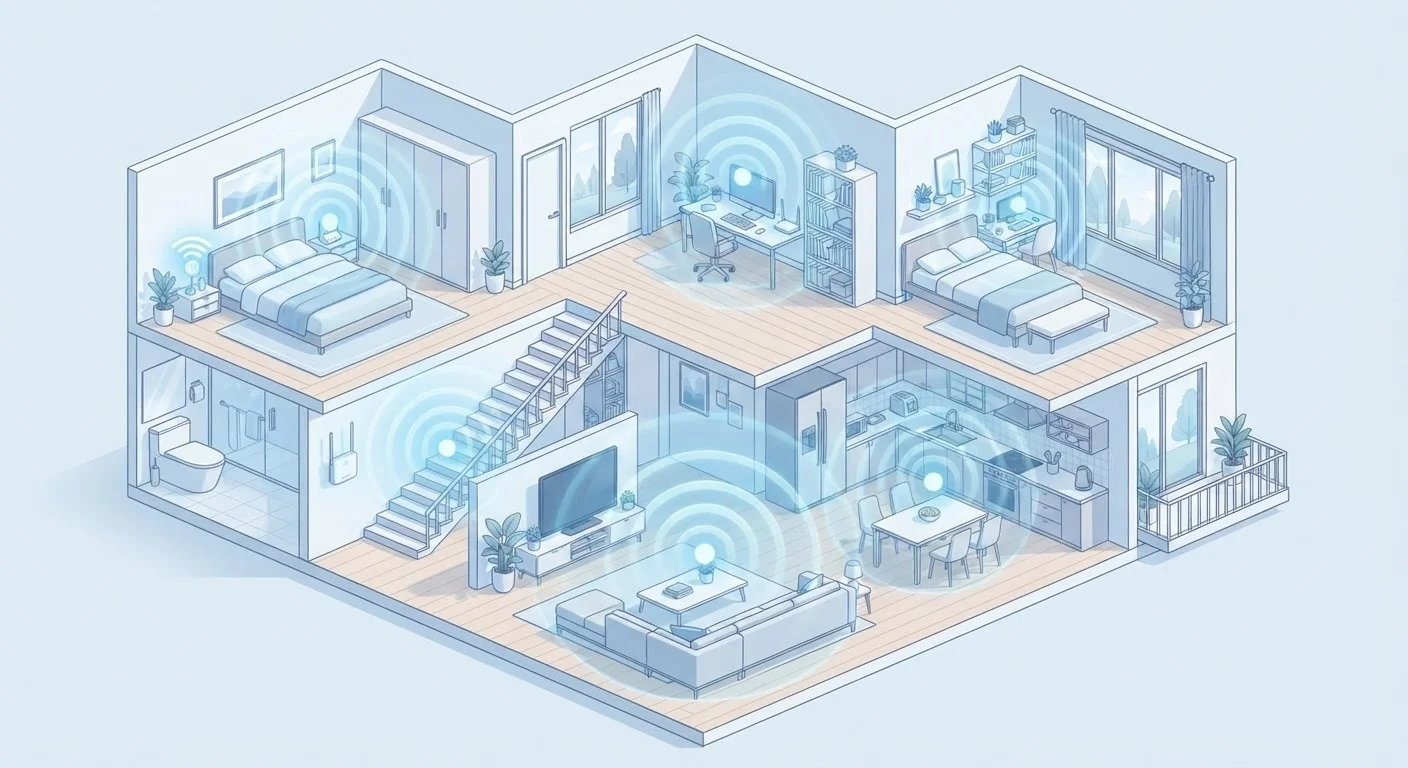
Mesh networks replace your single router with two or more coordinated nodes placed around the home. These nodes communicate with each other and automatically hand off your device as you move from room to room - all under one network name. There's no manual switching between networks.
Range extenders (sometimes called Wi-Fi boosters or repeaters) pick up your existing router's signal and rebroadcast it. They're easy to plug in and configure, but they create a separate network or operate as a relay, which introduces a trade-off: the extender uses part of the wireless bandwidth to talk to the router, leaving less available for your devices.
Powerline adapters take a different approach entirely. One adapter plugs into a wall outlet near your router and connects via an Ethernet cable. A second adapter plugs in anywhere else in the house - using your home's existing electrical wiring to carry the signal between them. The second adapter can then broadcast a small Wi-Fi network or offer a wired port for a device like a smart TV or desktop. Signal quality depends on how clean and consistent your home's electrical circuits are.
| Mesh Network | Range Extender | Powerline Adapter | |
|---|---|---|---|
| How it extends coverage | Multiple coordinated nodes | Rebroadcasts router signal wirelessly | Uses home electrical wiring |
| Setup difficulty | Moderate - app guided | Easy - plug and press | Easy to moderate - wired setup |
| Seamless roaming | Yes - one network name | Often no - separate SSID | Depends on model |
| Bandwidth impact | Minimal with dedicated backhaul | Can halve available bandwidth | Depends on wiring quality |
| Best home type | Large or multi-story homes | Small apartments or one-room fix | Thick-walled or interference-heavy homes |
| Relative cost | Higher upfront | Lower upfront | Mid-range |
Setup Complexity and Ongoing Management
Range extenders are the easiest to get running - most involve pressing a WPS button or following a brief app setup. The catch is finding the right placement: too close to the router and you're not gaining much range; too far and the extender itself has a weak signal to repeat.
Mesh systems typically involve a companion app that guides you through placing nodes and displays signal strength between them. The ongoing management is minimal because the system handles device handoffs automatically. This makes mesh particularly practical for households where multiple people use the network and expect consistent performance throughout.
Powerline adapters fall in the middle. The initial wired connection is straightforward, but performance can vary based on the age of your home's wiring and whether devices share a circuit. Homes with older or complex electrical layouts may see inconsistent results. For a primer on when wired connections have a meaningful edge, see wired vs. wireless differences.
Test Your Dead Zone Before Buying
Walk through your home with a phone and use a free Wi-Fi analyzer app to map where signal drops significantly. Note whether the drop happens near a specific wall material, floor change, or appliance cluster. This information helps you decide whether one extender in the right spot is enough, or whether a more comprehensive solution like a mesh system makes more sense.
Cost and Coverage Trade-offs
Range extenders are generally the lowest-cost entry point, making them accessible for renters or those troubleshooting a single problem area. However, the bandwidth reduction they introduce can be noticeable during video streaming or video calls, especially on older 2.4 GHz-only models.
Powerline adapters vary in price depending on the speeds they advertise. Their real-world throughput is usually lower than the rated maximum, and speed drops further if adapters are on different electrical circuits within the home.
Mesh systems carry a higher upfront cost but often include features like automatic updates, parental controls, and easy node expansion. For households already managing a complex home network, a mesh setup integrates more cleanly. If you're still figuring out the fundamentals of your home connection, setting up a home network for the first time provides useful grounding before you invest in an expansion solution.
~50%
Potential bandwidth loss with a range extender
A wireless repeater uses part of its available bandwidth to maintain the link back to the router, which can reduce the speed available to connected devices by roughly half.
2-3 nodes
Typical mesh system coverage for most homes
Most households find that two to three mesh nodes provide whole-home coverage, though larger properties or complex layouts may benefit from additional units.