

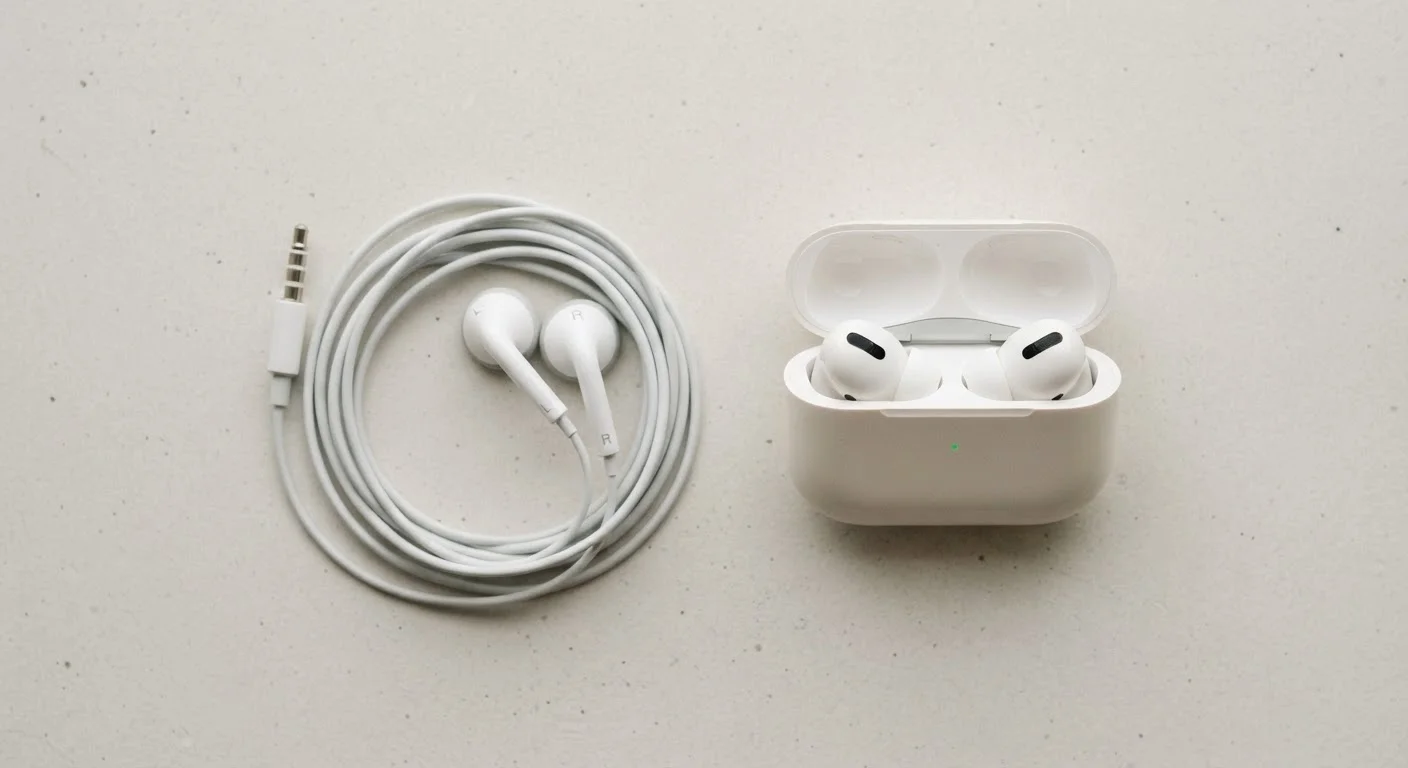
Key Takeaways
- Wired earbuds deliver audio with no latency; wireless earbuds introduce a small but measurable delay via Bluetooth.
- Battery life is a real trade-off with wireless earbuds - wired earbuds draw no power from your device.
- Modern wireless codecs like aptX and AAC have narrowed the audio quality gap significantly, but wired connections remain technically lossless.
- Wireless earbuds offer features like active noise cancellation and touch controls that most wired earbuds lack.
- Connectivity stability differs - wired earbuds can't drop signal, while wireless performance depends on Bluetooth version and environment.
Option A
Wired Earbuds
The dependable, no-compromise audio staple.
Best for: Listeners who prioritize consistent audio quality, zero latency, and never worrying about battery life.
Option B
Wireless Earbuds
The freedom-first, feature-rich modern option.
Best for: Active users and commuters who value freedom of movement, hands-free convenience, and integrated smart features.
If you're a serious music listener or audiophile
Wired Earbuds
A wired connection delivers an uncompressed, lossless audio signal with no encoding or decoding step, keeping the listening experience as true to the source as possible.
If you work out, commute, or move around frequently
Wireless Earbuds
No cable to snag or tug means greater freedom and comfort during physical activity, and most modern wireless earbuds offer strong passive or active noise isolation for busy environments.
If you use earbuds for video calls or remote work all day
Wired Earbuds
Zero audio latency and no battery dependency make wired earbuds more reliable for long hours on calls without mid-meeting charging interruptions.
If you want hands-free controls and smart assistant access
Wireless Earbuds
Wireless earbuds commonly include touch or button controls, built-in microphones with beamforming, and voice assistant integration that most wired options don't offer.
The Signal Path: How Each Type Delivers Audio
The fundamental difference between wired and wireless earbuds is how the audio signal travels from your device to your ears. With a wired connection - typically via a 3.5mm headphone jack or USB-C - the signal moves as an analog or digital electrical signal directly through the cable. There's no intermediary step, no encoding, and no transmission delay.
Wireless earbuds use Bluetooth, a short-range radio protocol, to transmit audio. Your device encodes the audio using a codec - a compression format - and the earbuds decode it before it reaches your ears. Common codecs include SBC (the universal baseline), AAC (widely used on Apple devices), and aptX or aptX HD (common on Android). Each codec makes different trade-offs between audio quality, compression efficiency, and power use.
The practical result: wired audio is technically lossless at the point of transmission. Wireless audio involves some data compression, though with higher-quality codecs, the difference is often difficult to detect in everyday listening. Just as a physical Ethernet cable offers signal stability that Wi-Fi can't always match - see our breakdown in wired vs. wireless network connections - a wired audio connection removes a layer of variables entirely.
| Criterion | Wired Earbuds | Wireless Earbuds |
|---|---|---|
| Audio signal | Lossless, direct | Codec-compressed via Bluetooth |
| Latency | Near zero | 40-200ms (codec-dependent) |
| Battery required | None | 5-8 hrs per charge |
| Active Noise Cancellation | Rarely available | Common in mid-range and up |
| Connectivity stability | Consistent, no interference | Can vary with environment |
| Jack compatibility | Requires 3.5mm or adapter | Universal Bluetooth |
| Smart features | Limited | Touch controls, voice assistant, sensors |
Latency, Battery, and Connectivity: The Real Trade-Offs
Latency is the delay between a sound being produced by your device and you hearing it. Wired earbuds have virtually zero perceptible latency. Wireless earbuds introduce a delay - typically between 40ms and 200ms depending on the codec and device - that is usually unnoticeable during music playback but can become apparent when watching video or playing games if audio and visuals fall out of sync. Some wireless earbuds include a dedicated low-latency mode to address this.
Battery life is a constraint exclusive to wireless earbuds. Most offer between 5 and 8 hours of playback per charge from the earbuds themselves, with charging cases extending total usage to 20-30 hours. Wired earbuds consume no power independently - they draw a tiny amount from your device, but nowhere near enough to meaningfully drain a phone battery.
Connectivity stability varies more with wireless earbuds. Bluetooth signals can be affected by interference from other wireless devices, physical obstructions, or distance from the source. Bluetooth 5.0 and later versions have improved range and stability substantially, but a wired connection remains inherently more stable. If you're curious how wireless signals interact with your home network environment, our article on mobile data vs. home Wi-Fi explains the broader picture of how signals compete and coexist.
~40ms
Typical Bluetooth audio latency
Higher-quality codecs like aptX Low Latency target delays under 40ms, while standard SBC connections can reach 150-200ms.
Bluetooth 5.0
Current widespread wireless standard
Bluetooth 5.0, introduced in 2016, offers roughly double the range and four times the bandwidth of Bluetooth 4.2, improving earbud reliability meaningfully.
5-8 hrs
Typical wireless earbud playback time
Per-charge earbud life varies by ANC usage, volume level, and codec; charging cases typically add 2-4 full recharges.
Features and Compatibility: Where Wireless Pulls Ahead
Wireless earbuds have evolved into multi-feature devices. Active Noise Cancellation (ANC) - which uses microphones to detect and counteract ambient sound - is now common in mid-range wireless earbuds and rare in wired equivalents. Touch controls, wear detection sensors that pause audio when you remove an earbud, and seamless device-switching (multipoint pairing) are also largely wireless-exclusive features.
Compatibility is worth considering too. Many newer laptops and phones have removed the 3.5mm headphone jack entirely, meaning wired earbuds may require a USB-C or Lightning adapter depending on your device. Wireless earbuds connect over Bluetooth, which is universal across virtually all modern phones, tablets, and computers.
For most everyday listeners, the choice comes down to what frictions bother them most: managing a cable and adapter, or managing a battery. Neither option is objectively superior - the right answer depends on how and where you use earbuds most. Just as different home internet connection types serve different needs - as explained in our guide to home internet connection types - the best audio technology is the one that fits your actual habits.